Client records
Digital clientcards for yoursalon
01
What's on every client card
Colour formulas and notes
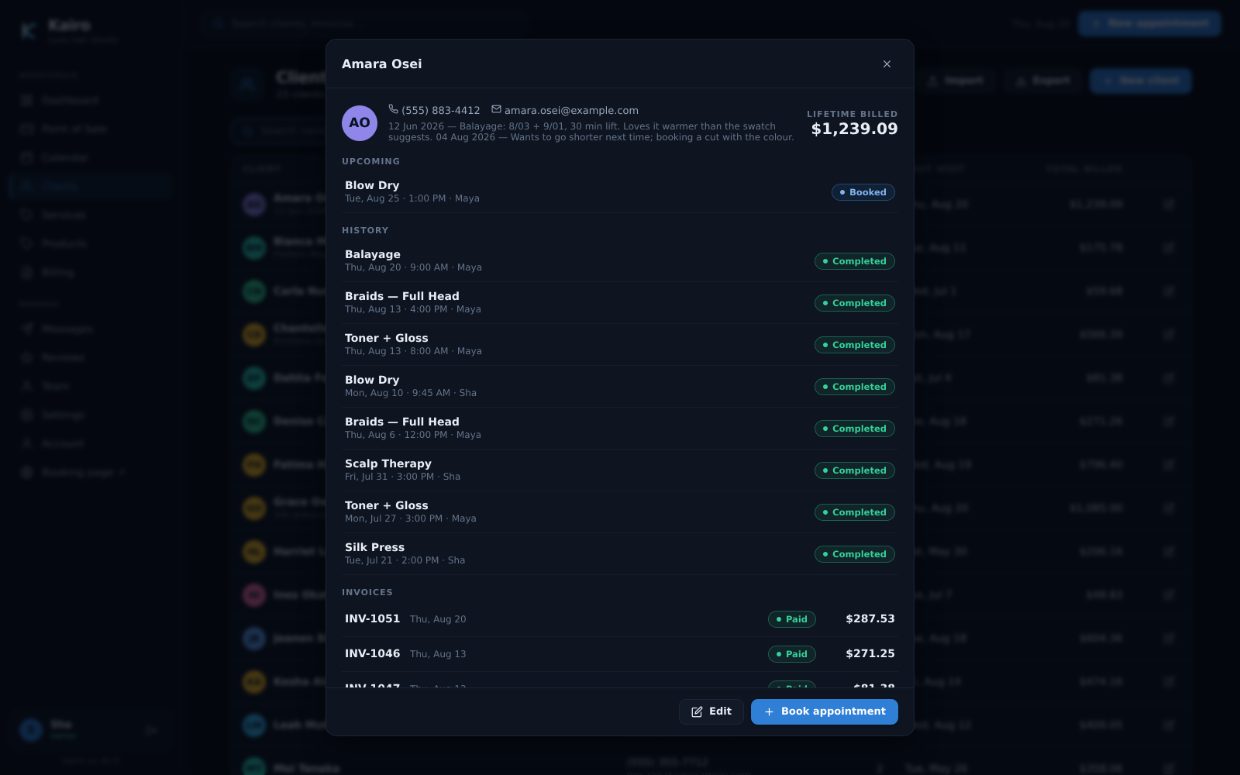
Standing notes on every client: the formula that worked, the toner, how they like their fringe, what they said about their holiday. They're there before the client sits down.
Allergies and a safety record
Allergies, medication, skin conditions and pregnancy sit in a separate safety record, so they stand out instead of hiding in a note.
Patch tests that count
Every patch test and its result is kept with the date. A treatment that needs one can't be booked online until there's a current pass on file.
Consent in your own words
Write the consent wording for each treatment. The client types their name to agree when they book, and the exact words are kept with the time.
Photos of every visit
Before and after photos from your phone, up to eight a visit, on the client's record. Last time's colour, length or set is a tap away.
Every visit, in order
Each client's past and upcoming appointments, who did them and what was done, so anyone on the team can pick up where the last person left off.
02
Why salons move off paper cards
- Cards get lost and can't be read
- A record in Kairo is typed, searchable and the same on the salon computer and your phone.
- Only one person can hold the card
- Everyone on the team sees the same record at the same time, at the desk or at the chair.
- You can't check a card from home
- The free iPhone app has the whole client list, so you can look up a formula before a client rings back.
- A patch test on paper proves little
- Kairo keeps the date and the result, and won't let the treatment be booked online without a current pass.
Client records in Kairo
Notes, allergies and every visit.
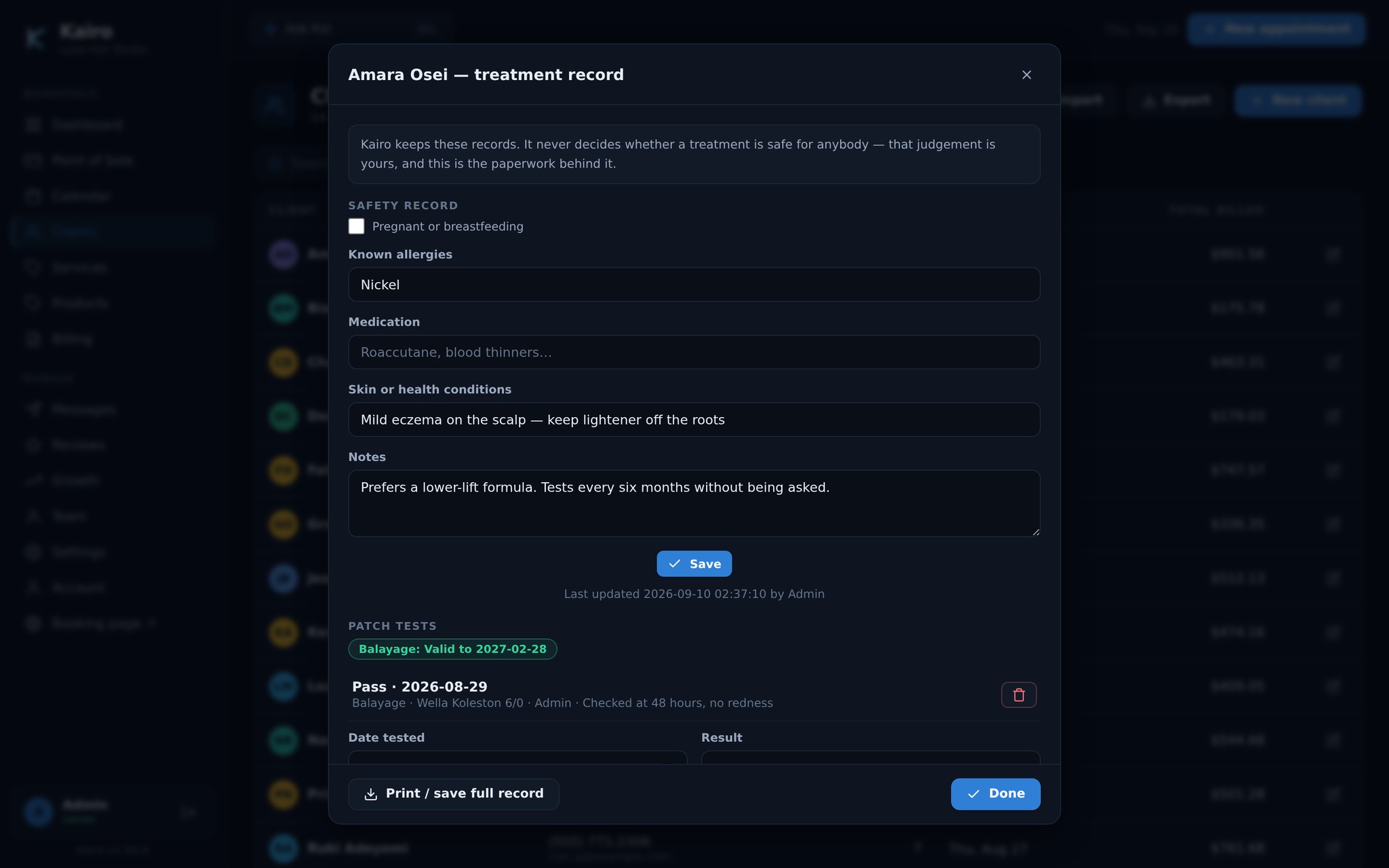
The safety record and patch tests.
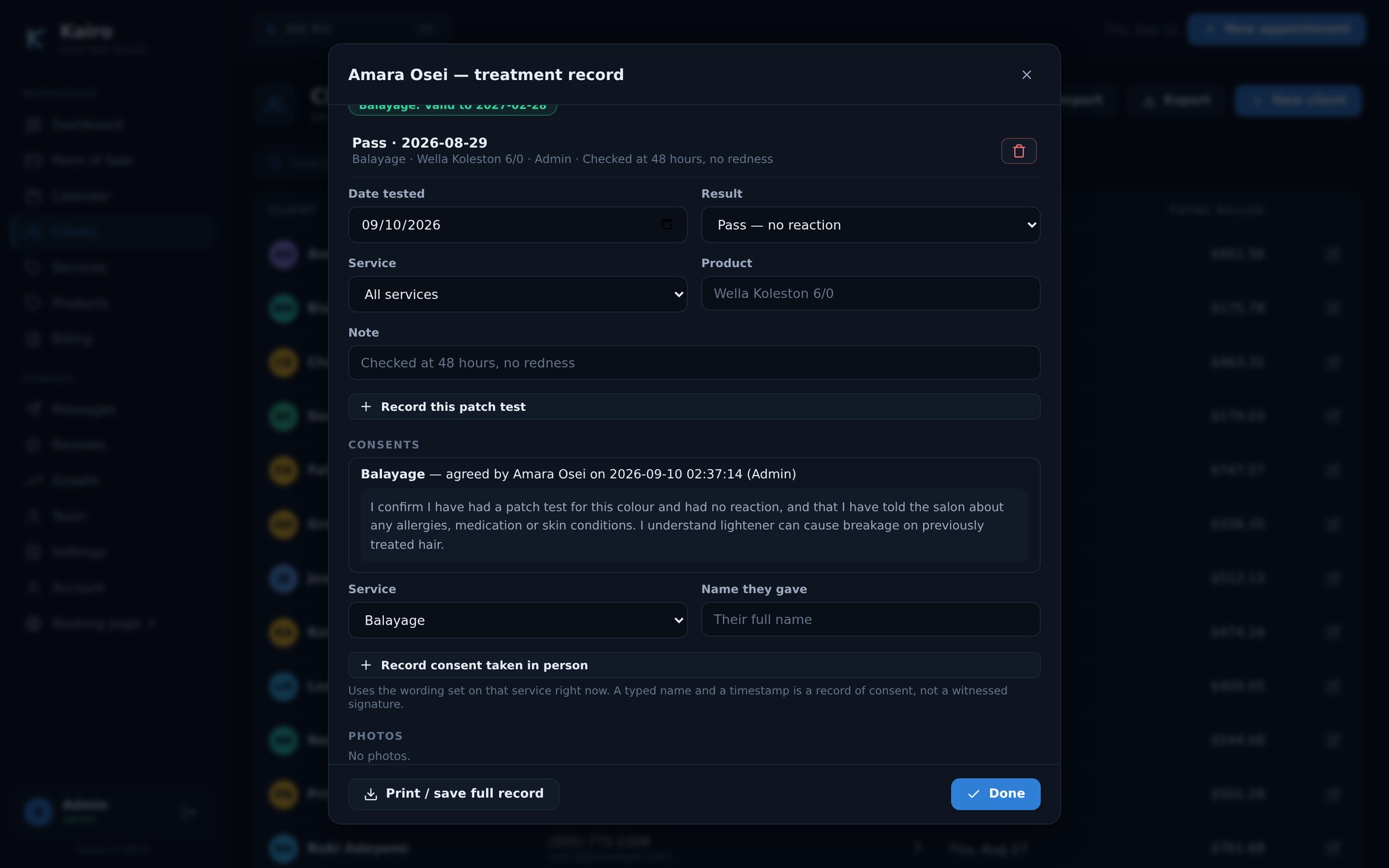
Consent kept with the exact wording and the time.
03
It's part of your booking system
The client record isn't a separate app. It's part of Kairo, the booking system, so every online booking lands on the right client, reminders go out on their own, and the card is up to date before they arrive. Records stay yours: export your client list whenever you like.
04
What it costs
$400 once or 3 × $150, then $0 a month, with no commission on bookings and no charge per staff member. The iPhone app is free, email is included, and texts go through your own ClickSend account at a few cents each. If it isn't for you, there's a full refund within 14 days of paying.
Questions about client records
01Can I move my paper client cards into Kairo?
Yes. If your clients are in another system, export them as a spreadsheet and import them, so names, phone numbers and emails come across in one go. Formulas and notes from paper cards are typed onto each record, and most salons do their regulars first.
02Can I see client records on my phone?
Yes. The free Kairo iPhone app has your client list, notes and appointments, and the full system works in any browser on a computer or tablet.
03Can clients see my notes about them?
No. Notes, formulas and the safety record stay on the client's record inside your Kairo. The booking page only shows your services, team and times.
04Does it keep patch tests and consent forms?
Yes. Mark a treatment as needing a patch test or a consent, write your own consent wording, and Kairo keeps each result and agreement with the date and time on the client's record.
05Is there a free version?
No. Kairo is $400 AUD once, or three monthly payments of $150, then $0 a month, with no commission. The client records, the booking page and the iPhone app are all included, and there's a full refund within 14 days if it isn't for you.
Your client cards in Kairo, from $400
Free for 14 days, no card. Sign up in about four minutes, import your client list, and start adding formulas and notes as clients come in.